
How to Add a Photocell to Landscape Lighting
Add the photocell on the line-voltage side, before the low-voltage transformer, unless your transformer has a built-in dusk-to-dawn control; on the 12-volt side it usually won’t switch the load cleanly. Wrong placement can leave lights stuck on, cycling, or overloaded, and a bad retrofit can damage the transformer. Line-voltage splices and any hardwired modifications may require a licensed electrician and must follow local electrical code. This guide shows the safe hookup points, wiring order, and the cases where a timer or new transformer is the better fix.
What you’ll need


- Photocell rated for outdoor lighting controls
- Low-voltage lighting transformer with accessible 120V input and 12V output terminals
- Multimeter for voltage checks at the transformer and a fixture
- Waterproof wire connectors, preferably silicone-filled wire nuts
- Screwdriver set for the transformer cover and terminals
- Electrical tape and mounting hardware listed by the manufacturer
- Flashlight or headlamp for working at the panel and transformer location
- Label tags for line, neutral, load, and sensor leads
Compatibility checks before you start
- Confirm the transformer has 120V input and a 12V low-voltage output.
- Check whether the unit already includes a photocell or timer connection.
- Review the wattage rating and any multi-tap voltage settings.
- Confirm the fixture or transformer is outdoor-rated and listed for the intended control method.
How to add a photocell to any light
No, not every light can take a retrofit photocell. For low-voltage lighting, the control usually belongs on the 120V input side of the transformer or on a controller made for that purpose. A fixture-level add-on only makes sense when the fixture or its manufacturer offers a sensor port, blank-cap accessory, or listed replacement part.
Fixture-level retrofit limits
Most low-voltage fixtures do not have a standard place for a sensor. If the fixture has no blank plug or dedicated port, do not assume a common photocell can be wired into the 12V run. That route often fails because the sensor is meant to switch line voltage, not low-voltage AC output.
Say your path lights all share one transformer and the nearest lamp sits beside a porch light. A fixture-mounted sensor on that lamp can false-trigger from the porch fixture or a nearby window, then leave the whole run cycling at dusk.
When the transformer is the right place
A transformer-mounted photocell is usually the cleaner retrofit for plug-in transformers with accessible controls or for hardwired units that are already opened for service. It watches the incoming 120V supply and tells the transformer when to energize the low-voltage side. That keeps the sensor out of the underground 12V wiring and avoids mixing the sensor with a branch run it was never meant to switch.
When a separate controller is the better answer
If the transformer lacks a compatible sensor port, or if the load is already managed by a timer, use a separate outdoor controller rated for the supply and load. Many plug-in landscape transformers are better controlled by a plug-in photocell or external rated controller than by opening the transformer and modifying internal 120V wiring.
Where does a photocell go in a low-voltage landscape lighting system?
Put the photocell where it can control the transformer, not where it has to interrupt the 12V lamp run unless the system was built for that. In practice, that means the sensor belongs on the 120V input side most of the time. The 12V side is for the lighting circuit, not for a generic dusk-to-dawn switch.
120V input side of the transformer
This is the usual retrofit point for a hardwired transformer with accessible line-voltage terminals. The photocell watches the line and neutral feeding the transformer, then turns the unit on at dusk and off at dawn. Keep the sensor where it can “see” natural darkness, not bounce light from a porch fixture, streetlight, or nearby window.
12V output side of the transformer
Only use this path if the transformer or fixture specifically calls for it. A common mistake is trying to place a standard photocell in series with the low-voltage output. That can create dim lights, flicker, or a load the sensor cannot switch reliably.
How stray light affects sensor placement
Sensor position matters. Mount it away from porch lights, motion lights, reflective glass, and streetlight spill. If the sensor can “see” those sources, it may stay off too long or turn off and on at odd times. A shaded side of the transformer housing is usually better than an exposed face under a security light.
How to install the right control path
Shut off power at the breaker, verify the supply with a multimeter, and choose the transformer, controller, or fixture path before touching any conductors. For a standard retrofit, the cleanest path is line-side switching with outdoor-rated parts. Keep every splice dry, and do not bury an unprotected connection.
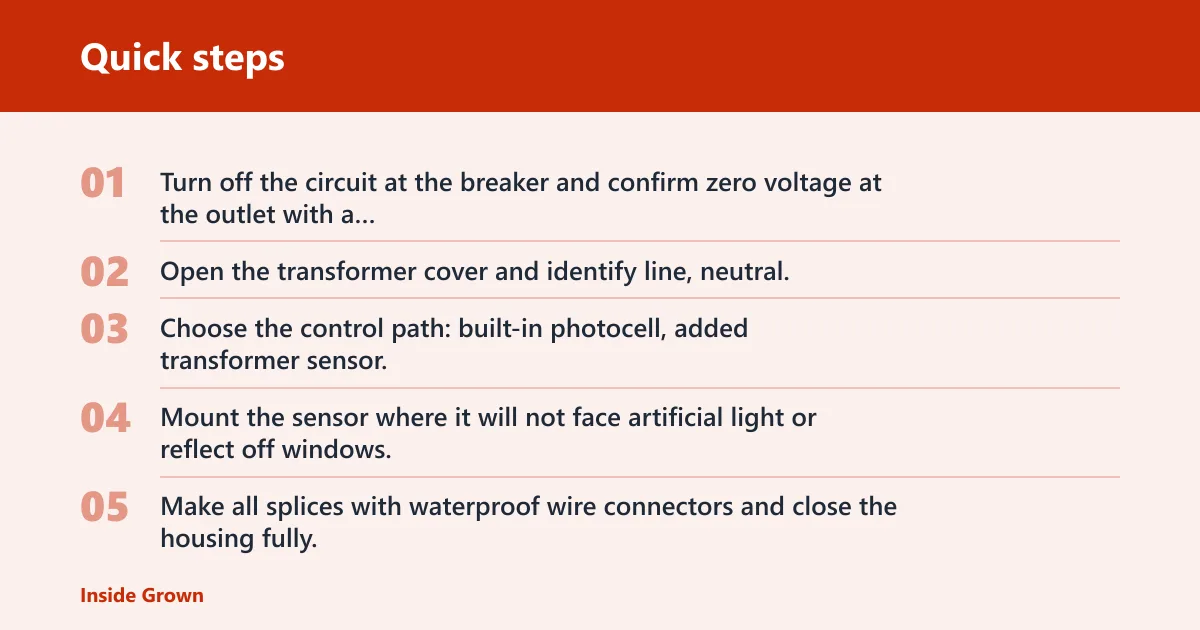
- Turn off the circuit at the breaker and confirm zero voltage at the outlet with a multimeter.
- Open the transformer cover and identify line, neutral, and the low-voltage output terminals.
- Choose the control path: built-in photocell, added transformer sensor, or separate outdoor controller.
- Mount the sensor where it will not face artificial light or reflect off windows.
- Make all splices with waterproof wire connectors and close the housing fully.
- Set any timer or manual override to the desired mode, then restore power and test at dusk.
- Check the fixture voltage after the lights run for several minutes; if needed, adjust the transformer tap to the setting recommended by the manufacturer for the fixture type, then recheck.
A common first-timer mistake is wiring the photocell to the 12V side because that is the side feeding the lights. That can produce a system that never turns off or will not start at all. If the transformer has a sensor terminal or built-in control lead, use that instead of guessing.
If that didn’t work, try this next
- Move the sensor farther from porch light spill, then retest after dark.
- Inspect every splice for moisture; replace any connector that looks swollen, corroded, or loose.
- Verify the transformer setting and fixture voltage with a multimeter.
- If the lights still flicker or stay on, stop and call an electrician for the 120V side.
Landscape photocell retrofit table
| System type | Best photocell placement | Common failure risk |
|---|---|---|
| Fixture-level add-on | Only at a dedicated sensor port or blank-cap opening on the fixture | Unsupported hardware, false triggering from nearby light, moisture in the housing |
| Transformer-mounted sensor | On the 120V input side of the transformer, aimed away from stray light | Wrong line/load wiring, blocked sensor view, incompatible timer overlap |
| Separate outdoor controller | At the controller that feeds the transformer or the lighting circuit | Load rating mismatch, weather exposure, misread manual override setting |
Compatibility checklist for 120V input and 12V output
- 120V supply available at a dedicated GFCI outlet
- Line and neutral conductors identified before any sensor wiring
- Transformer supports the chosen photocell, timer, or both
- 12V output wiring remains isolated from the sensor leads unless the manufacturer says otherwise
- Multi-tap voltage settings available for longer runs or LED fixtures
- Outdoor-rated enclosure and weatherproof splices at every exposed junction
Do you need a timer too?
Not always. A photocell gives dusk-to-dawn control, while a timer gives clock-based control. If you want the lights to come on at sunset and off by a set hour, a timer or astronomic timer may be the better choice. If you want automatic dusk-to-dawn operation, the photocell does the job.
Photocell versus astronomic timer
An astronomic timer follows sunset and sunrise by date, so it can avoid the false triggers that come from nearby artificial light. It also handles manual shutoff windows better than a simple sensor.
Manual override considerations
If the transformer already has a manual override, check whether that mode disables the photocell or works beside it. Some systems let you force the lights on for cleaning or holiday use. Others require you to switch the unit back to automatic after the override.
Suppose a transformer already uses a timer and you want dusk-to-dawn behavior for winter. In that case, a separate photocell may be the wrong fix if the timer can already follow local sunset with less wiring and fewer stray-light problems.
Common mistakes
Most retrofit failures come from placement, not the sensor itself. Put the control on the wrong side of the transformer, bury an unsealed splice, or aim the sensor at a bright window, and the system can misread night as day or cycle all evening.
- Wrong side of the transformer: Do not use a standard photocell as a low-voltage switch unless the manual explicitly says it is intended for that use.
- Poor sensor placement: Keep the sensor out of porch-light spill, streetlight glare, and reflected light from glass.
- Moisture at the splice: Use silicone-filled wire nuts or another waterproof connector rated for outdoor use.
- Skipping voltage checks: Verify the fixture voltage after installation, and adjust the transformer tap only after the lights have stabilized.
LandscapeLightMI says a typical residential system can take one full weekend and may use $2,500 to $4,500 in materials, which gives a sense of how much is going on beyond the sensor itself. Those details matter before you open the housing.
Prevention: Label the line, load, and sensor leads before closing the cover. That simple step makes the next service call faster and reduces the chance of swapping the 120V and 12V sides later.
Frequently asked questions
Can you add a photocell to any light?
No. A generic photocell only belongs where its voltage and switching rating match the circuit. For low-voltage lighting, that usually means the transformer input or a listed controller, not a random fixture or the 12V branch line. Check the manufacturer’s wiring diagram before buying parts.
How do I know if my fixture or transformer is compatible?
Look for a listed sensor port, blank cap, or a photocell or timer terminal on the transformer. Also check the wattage rating, output tap options, and whether the control is meant for 120V input or 12V output. If those details are missing, treat it as incompatible until verified.
Can I add a photocell to an existing transformer?
Often yes, if the transformer has a compatible sensor input or can accept an add-on on the line side. If the unit already has a timer, make sure the controls will not conflict. If the manual does not show the photocell connection point, replace the control or the transformer instead of forcing it.
Do I need a timer if I add a photocell?
Not for basic dusk-to-dawn operation. Add a timer only if you want the lights to shut off earlier, run on a schedule, or use an astronomic setting. A timer can also help when stray light makes a sensor unreliable. The right answer depends on how much automation you want.
What wiring mistakes cause a photocell to fail?
The biggest ones are wiring the sensor to the wrong side of the transformer, mixing line and load conductors, and leaving splices exposed to water. Loose connectors and corroded joints also cause nuisance outages. If the sensor works briefly and then fails, inspect the splice box first, not the fixture.