
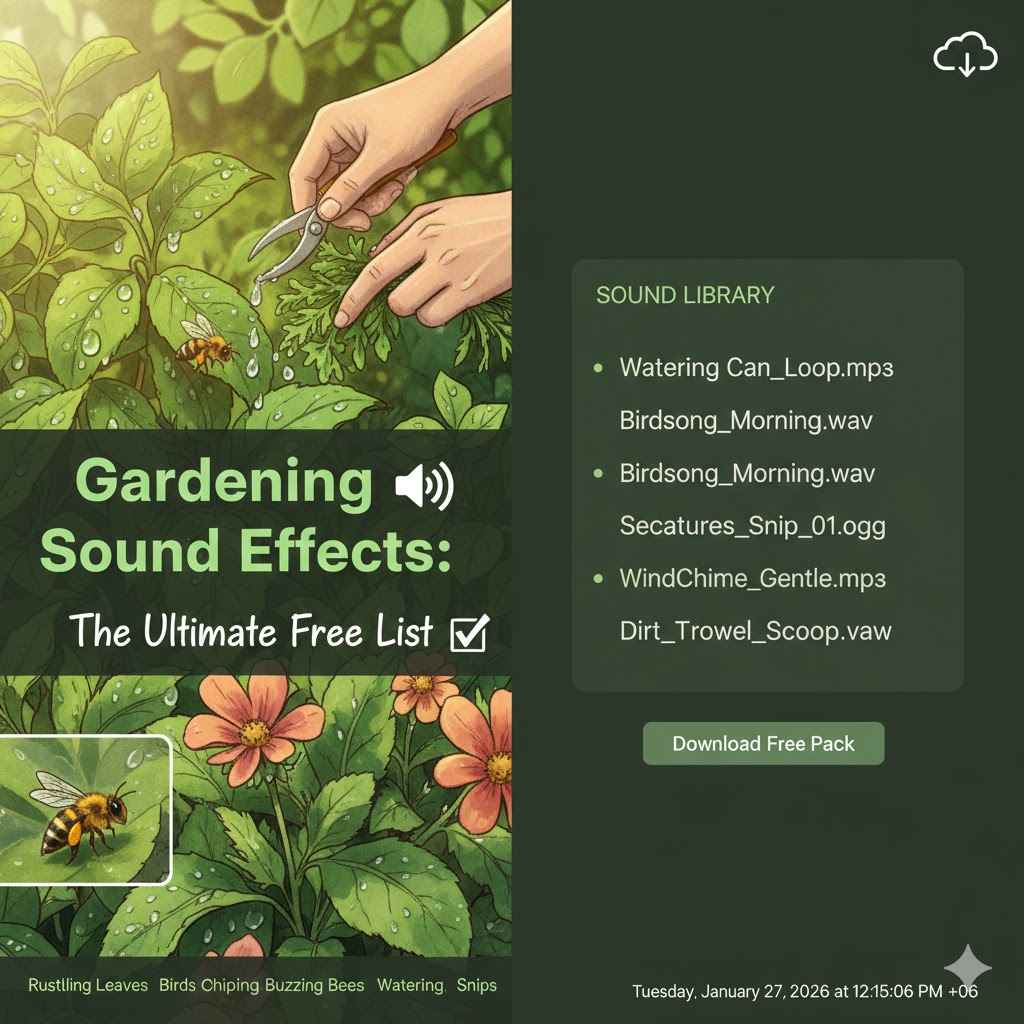
Finding free, high-quality gardening sound effects is simple. Reputable websites like Pixabay, Freesound, and Zapsplat offer vast libraries of royalty-free sounds, from digging soil and watering plants to birds chirping. Just search for the specific sound you need, check the license to ensure it fits your project, and download it instantly for your videos, podcasts, or creative projects.
Hello, fellow gardeners! It’s Saiful here. Have you ever watched a gardening video and felt completely drawn in? It’s not just the beautiful plants; it’s the sounds. The gentle snip of pruners, the soft rustle of leaves, the satisfying thud of a shovel hitting the soil. These sounds bring the garden to life. Whether you’re creating your own videos, a relaxing podcast, or just want to add some garden ambiance to a project, finding the right sounds can be tricky. But don’t worry! I’ve dug through the web to find the best free gardening sound effects for you. In this guide, I’ll show you exactly where to find them and how to use them. Let’s make your projects sound as wonderful as your garden looks.
Why Use Gardening Sound Effects?
You might be wondering, “Why do I even need sound effects?” That’s a great question! Sound is a powerful tool. It adds a layer of realism and emotion that visuals alone often can’t capture. Think of it as adding seasoning to a favorite dish—it just makes everything better.
Here are a few simple reasons to use gardening sounds:
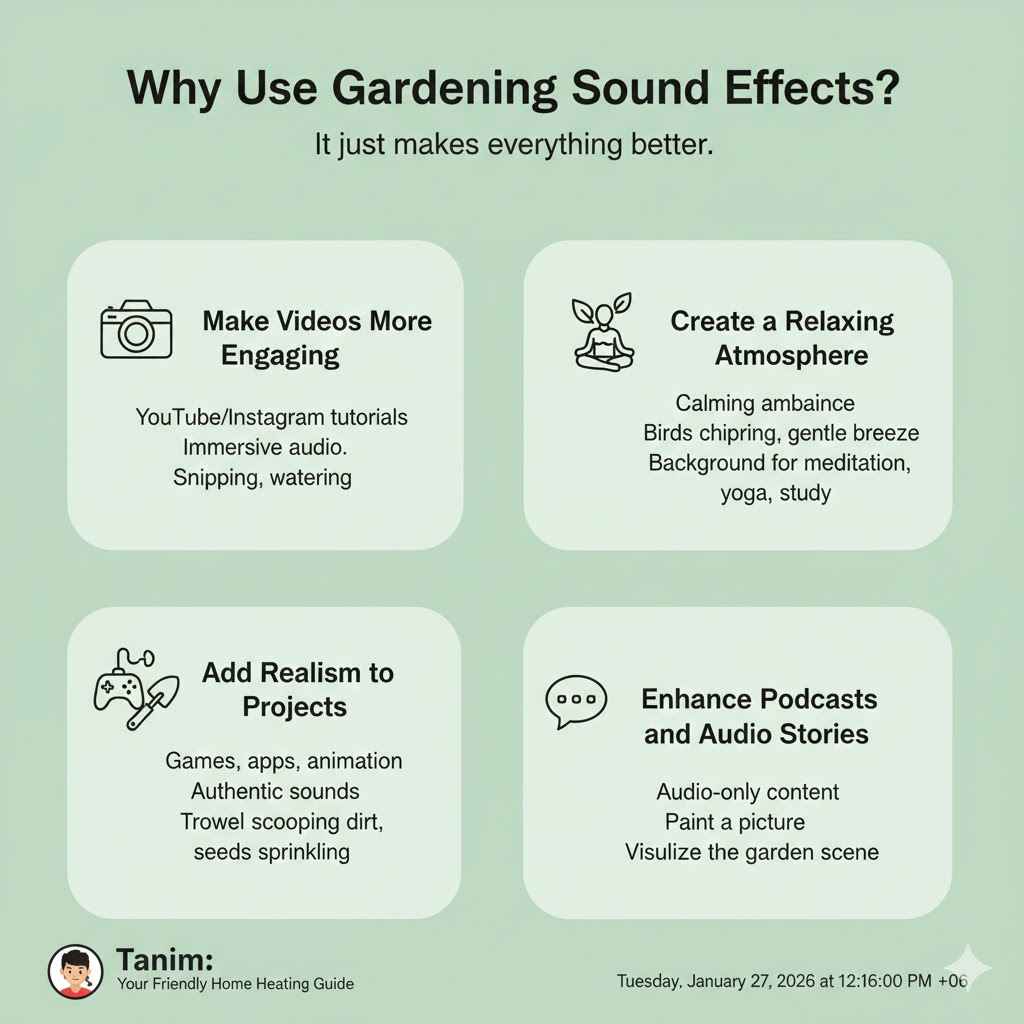
- Make Videos More Engaging: If you create gardening tutorials on YouTube or Instagram, adding the sound of snipping a stem or watering a plant makes the viewer feel like they are right there with you. It’s much more immersive than just music or talking.
- Create a Relaxing Atmosphere: The sounds of a garden—birds chirping, a gentle breeze through the leaves—are incredibly calming. You can use these sounds to create background ambiance for meditation, yoga, or study videos.
- Add Realism to Projects: Are you developing a game, an app, or an animation? The sound of a trowel scooping dirt or seeds being sprinkled adds a touch of authenticity that makes your creation more believable.
- Enhance Podcasts and Audio Stories: For audio-only content, sound effects are essential. They paint a picture in the listener’s mind, helping them visualize the garden scene you’re describing.
Using sounds transforms a simple project into a sensory experience. It connects with your audience on a deeper level, making your content more memorable and enjoyable.
The Ultimate Free List: categorized for You
Here it is! I’ve organized this list into categories to make it easy to find exactly what you need. All these sounds can be found on reputable sites offering free, royalty-free audio. I’ll point you toward some of the best sources.
1. Tool and Action Sounds
These are the sounds of getting work done in the garden. They add a sense of action and purpose to your projects. Think of them as the sound of progress!
- Shovel Digging in Soil: The classic sound of starting a new project. You can find single digs, multiple digs, and sounds of shoveling different materials like dirt, gravel, or sand.
- Trowel Scooping Dirt: A smaller, more precise sound perfect for potting plants or working in raised beds.
- Pruning Shears Snipping: That clean, crisp “snip” is so satisfying. Use it for trimming leaves, deadheading flowers, or harvesting herbs.
- Raking Leaves: The scratchy, rhythmic sound of a rake on grass or soil. Great for fall-themed content.
- Pushing a Wheelbarrow: The squeak of the wheel and the rumble of the load create a sense of movement and hard work.
- Using a Garden Hoe: The scraping sound of a hoe breaking up soil or removing weeds.
- Sprinkling Seeds: A very soft, subtle sound of seeds falling onto the soil.
2. Water Sounds
Water is the lifeblood of a garden, and its sounds are both essential and calming. From gentle watering to a summer rainstorm, these effects add a refreshing touch.
- Watering Can Pouring: A gentle, steady stream of water. Perfect for close-up shots of watering houseplants or seedlings.
- Garden Hose Spraying: A more powerful water sound. You can find variations from a gentle shower setting to a strong jet stream.
- Sprinkler Sounds: The rhythmic “ch-ch-ch” of an oscillating sprinkler is a classic summer sound.
- Gentle Rain on Leaves: A soft, soothing sound that creates a peaceful and cozy atmosphere.
- Water Fountain or Bird Bath: The gentle bubbling or trickling of a water feature adds a touch of elegance and tranquility.
- Dripping Water: A single drip can build suspense or create a quiet, contemplative mood.
3. Plant, Soil, and Nature Sounds
These are the organic, natural sounds of the garden itself. They help build a rich and believable environment.
- Rustling Leaves: The sound of a breeze moving through trees or a person walking through a leafy path.
- Potting Soil Being Handled: The soft, earthy sound of scooping and pressing soil into a pot.
- Snapping a Twig: A sharp, quick sound that can indicate clearing brush or an accidental break.
- Walking on Grass or Dirt: The subtle crunch and scuff of footsteps helps place a character within the scene.
- Vegetable Crunch: The sound of harvesting a fresh carrot or snapping a green bean. It’s the sound of success!
4. Garden Ambiance Sounds
These are background soundscapes that create a complete auditory scene. You can use them on their own or layer them with more specific action sounds.
Birds Chirping (Morning or Daytime): The most iconic garden sound. It instantly creates a feeling of a peaceful, thriving outdoor space.
Insects Buzzing (Bees, Crickets): The gentle hum of a bee or the chirping of crickets at dusk adds incredible realism.
Gentle Wind Blowing: A soft breeze adds a sense of openness and calm.
*Distant Lawn Mower: A classic suburban sound that places your garden in a familiar neighborhood setting.
- Quiet Countryside Atmosphere: A mix of distant birds, insects, and a gentle breeze to create an overall peaceful environment.
Where to Find These Free Sounds
Now that you know what to look for, where do you find them? Thankfully, there are several fantastic websites that offer high-quality, royalty-free sound effects for free. “Royalty-free” means you can use them in your projects without having to pay ongoing fees. Always remember to check the specific license for each sound, as some may require you to give credit to the creator.
| Website | Key Features | Best For |
|---|---|---|
| Pixabay | Huge library of high-quality sounds. The license is very simple and doesn’t require attribution. Very easy to search and download. | Beginners who want high-quality sounds with a simple, worry-free license for YouTube or social media. |
| Freesound.org | A massive, collaborative database of sounds recorded by users. You can find very specific and unique sounds here. | Finding unique, user-generated sounds. You need to pay close attention to the different Creative Commons licenses for each sound. |
| Zapsplat | Professionally recorded sounds with a large free library. Offers both MP3 and higher-quality WAV files. | Creators who need professional-grade sounds. The free license requires attribution (giving credit). |
| Mixkit | Curated library of free sound effects, stock music, and video templates. High-quality and easy to browse by category. | Content creators looking for a one-stop-shop for various free assets, not just sounds. No attribution is required. |
How to Download and Use Your Sound Effects
Found the perfect sound? Great! Using it is easier than you think. Here’s a simple step-by-step process that works for most video or audio editing software.
- Choose Your Sound: Browse one of the sites listed above and find the sound effect that fits your project. For example, search for “shovel digging dirt.”
- Check the License: Before you download, take a quick look at the license. Most sites make this very clear. For example, a Creative Commons 0 (CC0) license means you can use it for anything without giving credit. Others might require you to mention the creator in your video description.
- Download the File: Click the download button. You’ll usually get a choice between an MP3 or a WAV file. MP3s are smaller, while WAVs are higher quality. For most online videos, an MP3 is perfectly fine.
- Import into Your Project: Open your video or audio editing software. There will be an “Import” or “Add Media” option. Select the sound file you just downloaded.
- Place it on the Timeline: Drag the sound effect from your media library onto your project’s timeline. Position it exactly where the action happens. For instance, line up the “snip” sound with the moment your pruning shears close in the video.
- Adjust the Volume: The sound might be too loud or too quiet. Use the volume controls in your software to adjust it so it sounds natural and doesn’t overpower your voice or music.
That’s it! By layering these simple sounds, you can create a rich, immersive, and professional-sounding project.
Tips for Using Gardening Sounds Effectively
Just like adding fertilizer to your garden, a little goes a long way. Using sound effects well is about subtlety and creating a believable world.
Keep it Simple
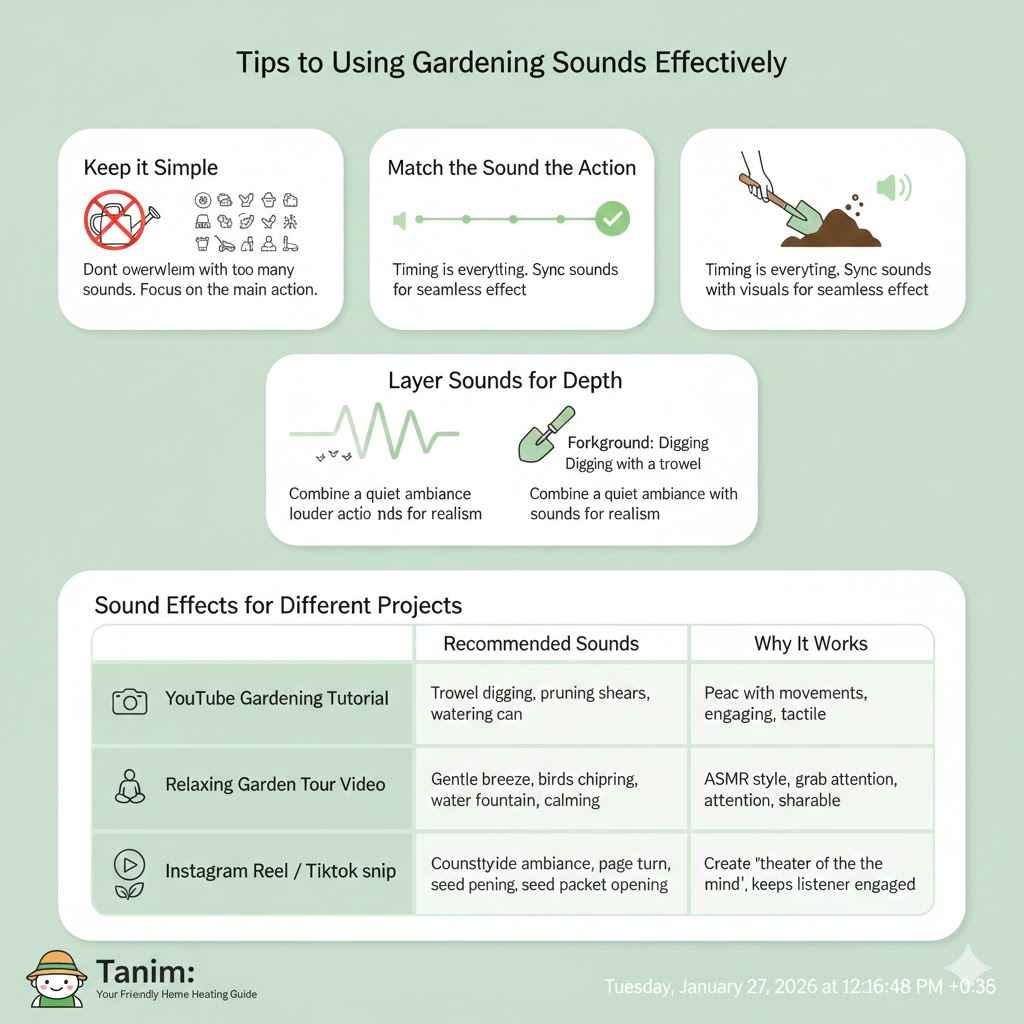
Don’t overwhelm your audience with too many sounds at once. If you’re showing a shot of potting a plant, the sound of the trowel and soil is enough. You don’t also need birds, a lawnmower, and a sprinkler all at the same time. Focus on the main action.
Match the Sound to the Action
Timing is everything. The sound of a shovel hitting dirt should happen at the exact moment the shovel makes contact in your video. When sounds are perfectly synced with the visuals, the effect is seamless and professional. Most editing software lets you zoom in on the timeline to get the timing just right.
Layer Sounds for Depth
This might sound like it contradicts the “keep it simple” tip, but it’s about balance. You can create a rich atmosphere by layering a quiet background sound (ambiance) with a louder foreground sound (action).
For example:
- Layer 1 (Background): A quiet track of “gentle wind and distant birds” at a low volume.
- Layer 2 (Foreground): The louder, clearer sounds of you “digging with a trowel” as the main action.
This combination makes the scene feel full and realistic without being distracting.
Sound Effects for Different Projects
How you use sounds can change depending on your project. Here’s a table with a few ideas to get you started.
| Project Type | Recommended Sounds | Why It Works |
|---|---|---|
| YouTube Gardening Tutorial | Trowel digging, pruning shears, watering can, rustling leaves. | These action-oriented sounds sync with your movements, making the tutorial more engaging and easy to follow. They add a satisfying, tactile quality. |
| Relaxing Garden Tour Video | Gentle breeze, birds chirping, water fountain, footsteps on grass. | These ambient sounds create a peaceful, immersive atmosphere. They help the viewer feel calm and present in the moment, as if they’re walking through the garden with you. |
| Instagram Reel / TikTok | Quick, satisfying sounds like a twig snap, a vegetable crunch, or a sharp snip. | Short-form content thrives on “ASMR” (Autonomous Sensory Meridian Response) style sounds. Crisp, clean sounds grab attention quickly and are highly shareable. |
| Gardening Podcast Episode | A quiet countryside ambiance in the background, with specific sounds like a page turn or a seed packet opening to punctuate points. | For audio-only formats, sounds create a “theater of the mind.” The background ambiance sets the scene, and specific effects keep the listener engaged. |
Frequently Asked Questions (FAQ)
Are these gardening sound effects really free to use?
Yes, the sounds from the websites I recommended (like Pixabay and Freesound) are free to download and use. However, it’s very important to check the license for each individual sound. Some are completely free for any use (public domain), while others may require you to give credit to the creator (attribution).
What does “royalty-free” mean?
Royalty-free means you pay for a license to use a sound once (or in this case, get it for free) and can then use it in your projects as many times as you want without paying additional fees or “royalties.” It doesn’t always mean the sound is free of charge, but the ones on our list are.
Can I use these sounds for my monetized YouTube channel?
Generally, yes. Most royalty-free licenses, especially simple ones like Pixabay’s, allow for commercial use, which includes monetized YouTube videos. Always double-check the license to be sure. Licenses like Creative Commons with “No Commercial Use” (NC) would be the exception.
What is the difference between MP3 and WAV files?
Think of it like a digital photo. A WAV file is like a raw, uncompressed image—it has the highest quality but a very large file size. An MP3 is like a JPEG—it’s compressed to save space, which results in a slightly lower quality. For most online videos and podcasts, the quality of an MP3 is more than good enough and much easier to work with.
Do I need special software to use sound effects?
You’ll need some kind of editing software. For videos, free programs like DaVinci Resolve, CapCut, or iMovie work perfectly. For audio-only projects, a free program called Audacity is a fantastic choice. All of these allow you to easily import and place sound files on a timeline.
How can I record my own gardening sounds?
You can! The microphone on your smartphone is surprisingly good for recording simple sounds. For the best results, get as close to the sound source as possible, try to record in a quiet environment (to avoid background noise like traffic), and then transfer the file to your computer for editing.
Conclusion: Bring Your Garden to Life with Sound
There you have it—everything you need to start using beautiful gardening sound effects in your projects. Sound is an invisible but powerful element that can transform your content from good to great. It adds emotion, realism, and a professional touch that helps you connect with your audience in a whole new way.
Don’t be afraid to experiment. Start by adding one or two simple sounds to your next video or project. Listen to how it changes the feeling and flow. The best part is that with the amazing free resources available, you have an entire world of sound at your fingertips. Now, go get creative and let the sounds of the garden tell your story. Happy gardening, and happy creating!